Turn your prefabs into pixel-perfect icons
Set the angle, zoom and lighting, then save. Easy Icon Creator renders images straight from your prefabs — no scene setup, no screenshot cropping, no wasted afternoons.
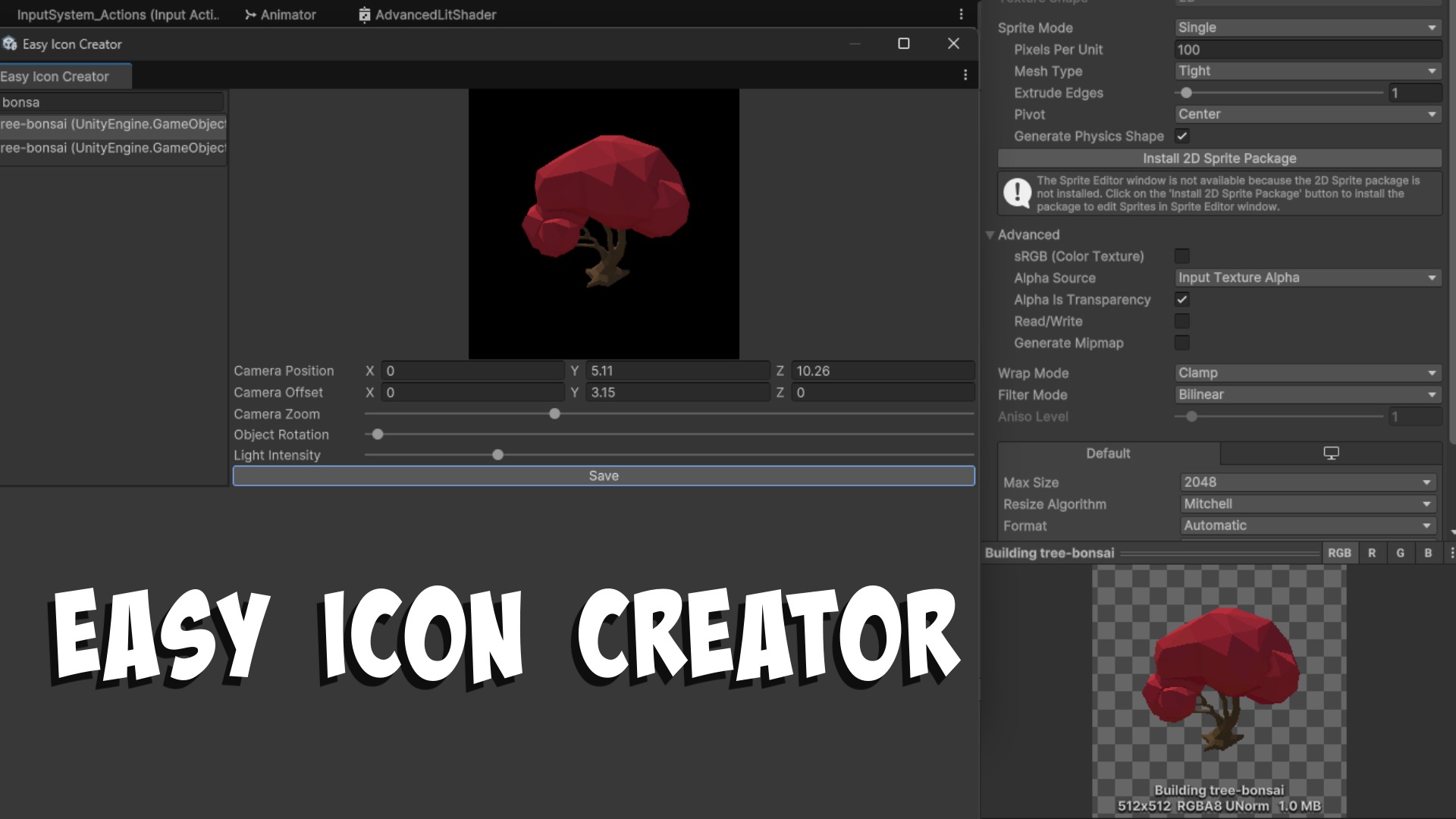 Watch the 2-minute walkthrough
- 2,000+
- prefabs iconified in one shipped project
- 0
- changes made to your open scene
- 1 click
- from framed preview to saved image
Features
Everything you need, nothing you don't
One editor window with the handful of controls that actually change how an icon looks.
Automatic prefab discovery
Every prefab in your project shows up in a searchable list. No manual dragging, no folder hunting.
Never touches your scene
Prefabs are rendered in isolation. Your open scene stays exactly as you left it, unsaved changes included.
Built for volume
Pick, frame, save, next. The workflow was hammered out on a game with more than 2,000 prefabs.
Object rotation
Spin the prefab to the exact angle that reads best as a small icon, then lock it in.
Camera rotation
Orbit the camera freely — it always keeps the prefab centred in frame, so you cannot lose your subject.
Zoom and offset
Dial in framing and padding so an entire icon set shares one consistent scale and composition.
Lighting control
Adjust light direction and intensity until the silhouette pops against any UI background.
Built by a developer who needed it first
Easy Icon Creator came out of a real production project with a 2,000+ prefab catalogue. Every control exists because the alternative was another hour of manual screenshots.
How it works
Three steps, then repeat
The whole point is speed. Once the first icon looks right, the rest of the catalogue follows in minutes.
-
1
Open the window
Launch Easy Icon Creator from the editor and search for the prefab you want to capture.
-
2
Frame the shot
Set object rotation, camera position, zoom, offset and light intensity while watching the live preview update.
-
3
Hit save
The icon lands in your project as an image, ready to use as a sprite. Then move straight on to the next prefab.
Support
Questions or feature requests?
Easy Icon Creator is maintained by Black Frost Games. Email directly — requests from real projects are what shape the next version.

Stop screenshotting. Start shipping icons.
Grab Easy Icon Creator and give your whole prefab catalogue a consistent set of icons this afternoon.
Get it on the Unity Asset Store